FPV VTX FAQ: Troubleshooting Overheating & Signal Loss
by SkyVolt FPV Engineering Team · About the authors
- IN THIS GUIDE
- Quick Answer
- VTX Overheating & Damage
- Signal Loss & Video Dropouts
- Why Upgrade to HD?
Got a hot VTX or dropping video signal? Read our top FAQs on FPV VTX troubleshooting. We cover safe powering, heat management, and how upgrading to CADDX HD systems solves video dropouts.
IN THIS GUIDE
- VTX Overheating & Damage
- Signal Loss & Video Dropouts
- Why Upgrade to HD?
Don't let a burnt VTX or a black screen ruin your flight. Here are the answers.
Quick Answer
Never power on without an antenna attached (it burns the PA chip instantly). For video dropouts, check your antenna polarization and inspect the IPEX/MMCX cables. If you are tired of analog blind spots, upgrading to a digital HD system like the CADDX Avatar series is the ultimate fix.
VTX Overheating & Damage
Q1: Why did my VTX burn out immediately after I plugged it in?
A: The most common cause is powering the VTX without an antenna attached. The antenna acts as a load to radiate the RF energy. Without it, the energy reflects back into the PA chip and burns it within seconds. Always attach the antenna before connecting the battery.
Q2: Is it normal for high-power VTXs to get very hot on the bench?
A: Yes. Modules like our 5W-5.8G VTX-FM Analog or high-power digital systems generate massive heat. When configuring on the ground without airflow, use a desk fan blowing directly on the module. Use SmartAudio to drop power to 25mW until you are ready to fly.
Signal Loss & Video Dropouts
Q3: My screen goes completely black or static during sharp turns. Why?
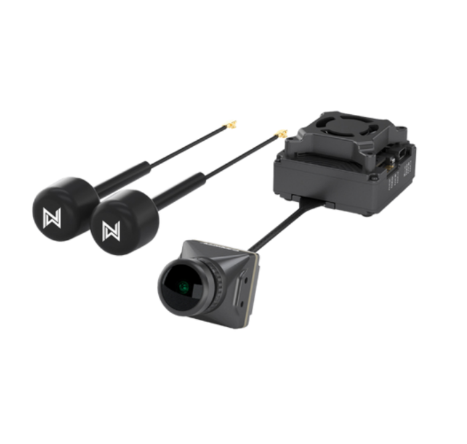
A: If you are using a single-antenna analog VTX (like our 2.5W 5.8GHz TM Analog), the drone's frame can block the signal line-of-sight during sharp banking turns (signal nulls). Upgrading to a dual-antenna setup (like the CADDX Avatar GT2) eliminates these blind spots.
Q4: Why is my video range suddenly much shorter than before?
A: Check your coax cables. Crashes or tight zip-ties often cause sharp bends in the cables, breaking the internal shielding. Also, ensure your VTX antenna and Goggles antenna have the same polarization (e.g., both RHCP). Mixing RHCP and LHCP kills your range.
Why Upgrade to HD?
Q5: I'm tired of analog static. What is the best digital upgrade for long-range?
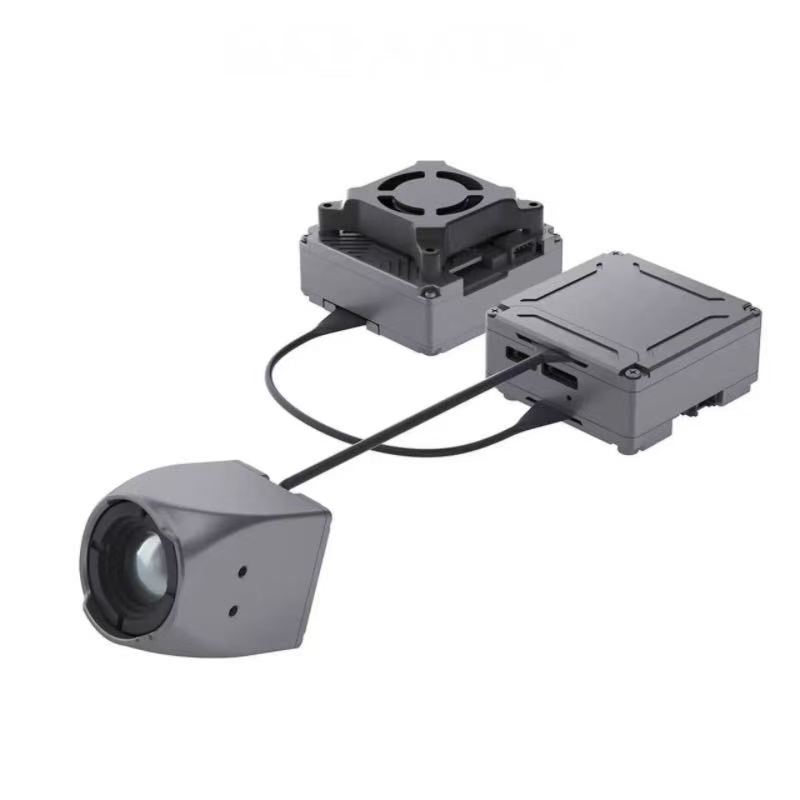
A: For crystal-clear 1080p video and extreme range, we highly recommend the CADDX Walksnail Avatar GT 2W Kit or the Avatar HD Pro Kit. These systems offer onboard recording, ultra-low latency, and strong penetration. For industrial BVLOS missions, the Eclipse 009 HD Thermal Camera is also available.
Need a tailored VTX solution for your mission? Browse our [FPV VTX collection] or submit a quote request .