Guide
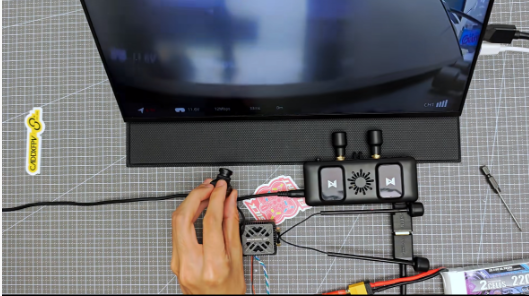
How to Bind Walksnail Avatar VRX | Step-by-Step Tutorial
by SkyVolt FPV Engineering Team · About the authors
In this guide
- Important Pre-Binding Requirement: Matching Firmware
- Binding Procedure
- Pro Tips
If you are setting up your Walksnail Avatar HD FPV system, binding your VRX (ground receiver) and VTX (air unit) is the first critical step before flight. Many pilots hit binding failures due to skipped pre-checks, especially firmware mismatches. This guide covers the full binding workflow and troubleshooting tips for Avatar VRX.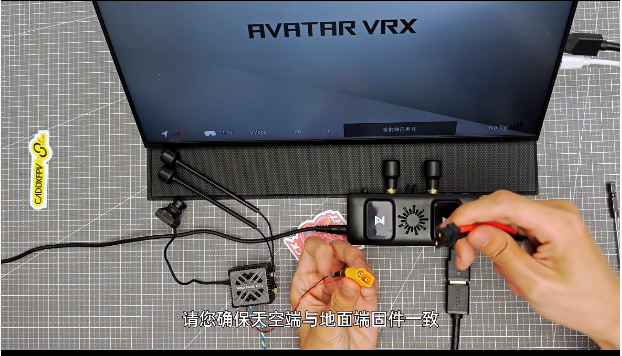
Important Pre-Binding Requirement: Matching Firmware
The #1 rule: VRX and VTX must run the exact same firmware version.
Mismatched firmware is the most common cause of failed binding, no signal, or unstable connection. Before attempting to bind:
1. Check firmware version on both your ground VRX and air VTX.
2. Update both units to the identical official firmware if versions differ.
3. Confirm the update completes without interruption. Do not power off devices during firmware flashing.
Binding Procedure
- Power on both units
Supply stable power to your Avatar VRX (ground unit) and VTX (sky/air unit). Ensure sufficient voltage; low power will interrupt binding.
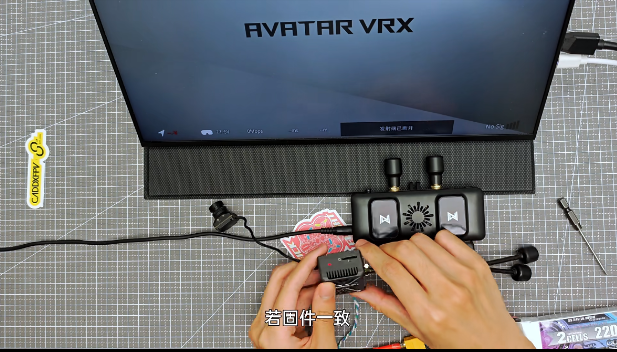
- Short press the bind button on VRX
Use a pin or small thin tool to short press the bind button on the VRX. The VRX buzzer will start beeping continuously to indicate it has entered binding mode.
- Short press the bind button on VTX
Immediately short press the bind button on the VTX.
If firmware versions match, the binding handshake will start.
When binding succeeds, the beeping sound stops, and status LEDs turn solid. You will receive HD video feed on your VRX screen.
Pro Tips
- Always perform binding in an open area away from strong Wi-Fi and 5G interference.
- After successful binding, power cycle both devices to confirm the link reconnects automatically.
- Do not hold the bind button for too long; only a short press is required for Avatar VRX binding mode.