Tutorial
FPV VTX Antenna Installation & Power Tuning Tutorial: Single & Dual-Antenna Setup
by SkyVolt FPV Engineering Team · About the authors
In this guide
- FPV VTX Antenna Installation & Power Tuning Tutorial: Single & Dual-Antenna Setup
- Before You Start
- Choose Your VTX System
Learn to install FPV VTX antennas and tune transmit power. This hands-on tutorial covers single and dual-antenna setups, SmartAudio configuration and common signal pitfalls from SkyVolt FPV Engineering Team.
FPV VTX Antenna Installation & Power Tuning Tutorial: Single & Dual-Antenna Setup
By SkyVolt FPV Engineering Team
This hands-on tutorial builds on our earlier guide How to Maximize FPV Video Range: Power, Antennas & Dual-System Advantages. We walk through simple hardware assembly, antenna placement and power tuning for single and dual-antenna VTX systems.
Before You Start
Required Parts
- VTX (single or dual antenna model)
- Antennas: Omni / Directional (For dual build: 1×Omni + 1×Directional recommended)
- U.FL/IPX cables, heat shrink tubing SmartAudio-capable flight controller
Safety Tip: Always perform bench tests at 25mW low power to avoid RF interference.
1. Hardware Installation
Single-Antenna VTX
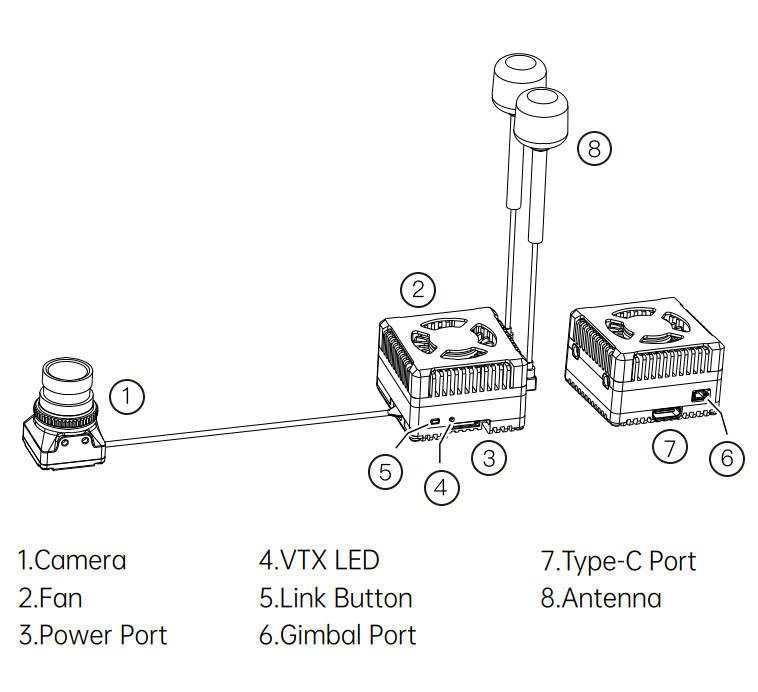
1. Mount VTX in a ventilated area, away from GPS and carbon/metal components. Do not fully enclose the VTX.
2. Attach antenna cable to the RF port and tighten gently.
3. Antenna options:
Omni antenna: Vertically mounted for close-range freestyle flight.
Directional antenna: Point forward for long-range missions.
4. Avoid sharp bends on coax cables, which can damage internal wiring.
Dual-Antenna VTX
1. Mount VTX with vibration isolation.
2. Connect both RF ports (one Omni + one Directional. Never leave a port unused).
3. Position antennas roughly perpendicular to minimize mutual signal interference.
4. Route the two coax cables separately, avoid tight bundling.
2. SmartAudio Power Tuning
SmartAudio enables in-flight VTX power switching:
- 25mW: Takeoff, landing, ground tests (default armed power)
- 500mW: Wooded environments and partially obstructed flight
- 1W–1.6W: Long-range flight in open terrain (requires proper VTX cooling)
Test with your radio switch on the ground and confirm smooth power adjustment shown in OSD.
3. Pre-flight Verification
1. Check VTX temperature. Overheating activates thermal protection and reduces effective range.
2. Slowly rotate the drone to check video feed. Single antenna can create blind spots in sharp turns; dual antenna provides seamless signal switching.
3. Complete a ground range test to validate signal stability.
4. Common Mistakes to Avoid
❌ Leaving one RF port empty on dual-antenna VTX
❌ Mounting antennas against carbon plates or batteries
❌ High-power operation without proper airflow
❌ Sharp bending of RF coaxial cables
Choose Your VTX System
- Micro drones, racing and budget freestyle: Single-antenna VTX
- Industrial inspection, BVLOS and cinematic long-range missions: Dual-antenna VTX
If you want a tailored VTX solution for your flight requirements, submit a quote request.