Guide
Upgrading to CADDX HD: What You Need to Know Before You Switch
by SkyVolt FPV Engineering Team · About the authors
In this guide
- Quick Answer
- What You Need to Upgrade
- Choosing Your CADDX System (Avatar vs. Ascent)
- Wiring & Setup Basics
- For Industrial Missions
Ready to ditch the analog static? Learn how to upgrade your FPV drone to CADDX digital HD. We cover flight controller compatibility, wiring basics, and the best VTX kits for your next build.
- Quick Answer
- What You Need to Upgrade
- Choosing Your CADDX System (Avatar vs. Ascent)
- Wiring & Setup Basics
- For Industrial Missions
Quick Answer
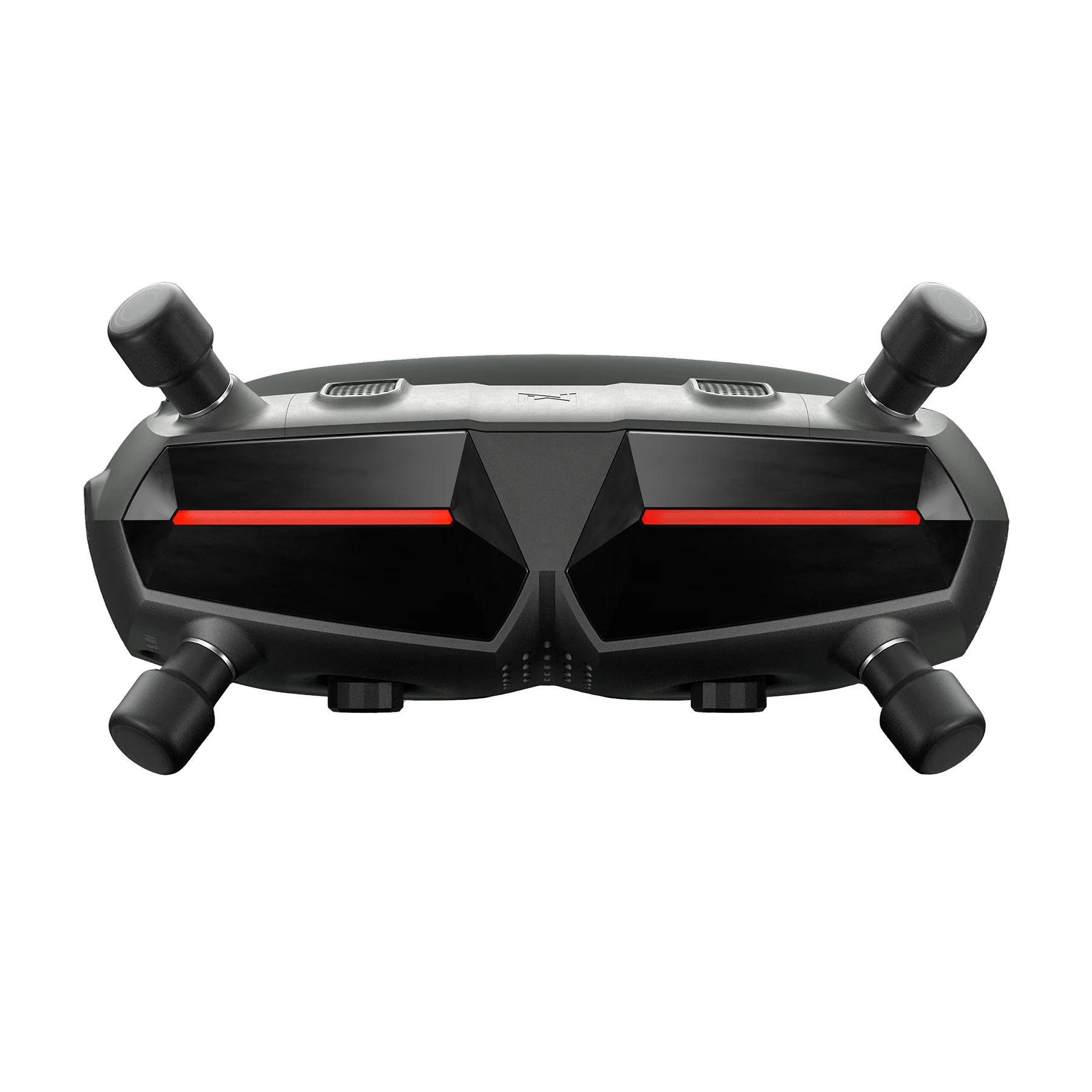
Upgrading to CADDX digital HD is relatively plug-and-play. You don't need a new radio; your existing CRSF/ELRS receiver still works. You just need a CADDX HD Kit (camera + VTX), a compatible receiver (like Goggles X or Ascent VRX), and a flight controller that supports UART and HD OSD (almost all modern FCs do).
What You Need to Upgrade
If you are moving from analog to digital, here is your shopping list:
1.The HD VTX Kit: This includes the digital camera and the transmitter (e.g., CADDX Avatar GT 2W or Ascent Lite+).
2.The Ground Receiver: You need a digital receiver to view the feed. This could be Goggles X (for Avatar system) or an Ascent VRX (for Ascent system).
3.A Compatible Flight Controller: Most modern F722 or H743 flight controllers (like the Diatone Mamba or DAKEFPV stacks) fully support HD digital VTXs.
4.Tools: A soldering iron, heat shrink, and a Type-C cable for firmware updates.
Choosing Your CADDX System (Avatar vs. Ascent)
As we covered in our previous Receiver Guide, CADDX has two ecosystems:
Avatar HD (The Powerhouse): Best for cinematic pilots and extreme long-range. Pair the Avatar GT 2W or Avatar HD Pro with Goggles X. It offers the highest power, best image quality, and onboard 4K recording.
Ascent HD (The Smart Value): Best for beginners, industrial users, and standard freestyle. Pair the Ascent Lite+ with the Ascent VRX / VRX Pro. It is more affordable, lighter, and easier to set up.
Wiring & Setup Basics
Don't let the wiring scare you. Here is the standard setup:
Power: Connect the VTX's power cables (usually VCC and GND) to your flight controller's battery pads or a 9V/12V BEC. Most CADDX kits support wide voltage input (e.g., 7.4V - 25.2V).
Data: Connect the VTX's RX/TX wires to a free UART port on your flight controller.
Video: Connect the VTX's video out pad to the flight controller's VTX in pad.
OSD: In Betaflight, enable "MSP DisplayPort" or "HD OSD" so you can see your battery voltage and flight data on your digital screen.
Cooling: Crucial Step: Never power on a CADDX VTX without an antenna attached, and always use a fan during bench testing to prevent overheating.
For Industrial Missions
For industrial drones, digital HD is a game-changer. The ability to see crystal-clear details (like reading serial numbers or inspecting power lines) drastically reduces error rates. For thermal inspections, pair the CADDX Eclipse 009 HD Thermal Camera with a high-power VTX (like the 10W analog or CADDX digital units) and a ground station for real-time data capture.
Need help choosing the right CADDX kit for your next build? Our team can advise on the exact combination of VTX, receiver, and antennas. Submit a quote request below!