Guide
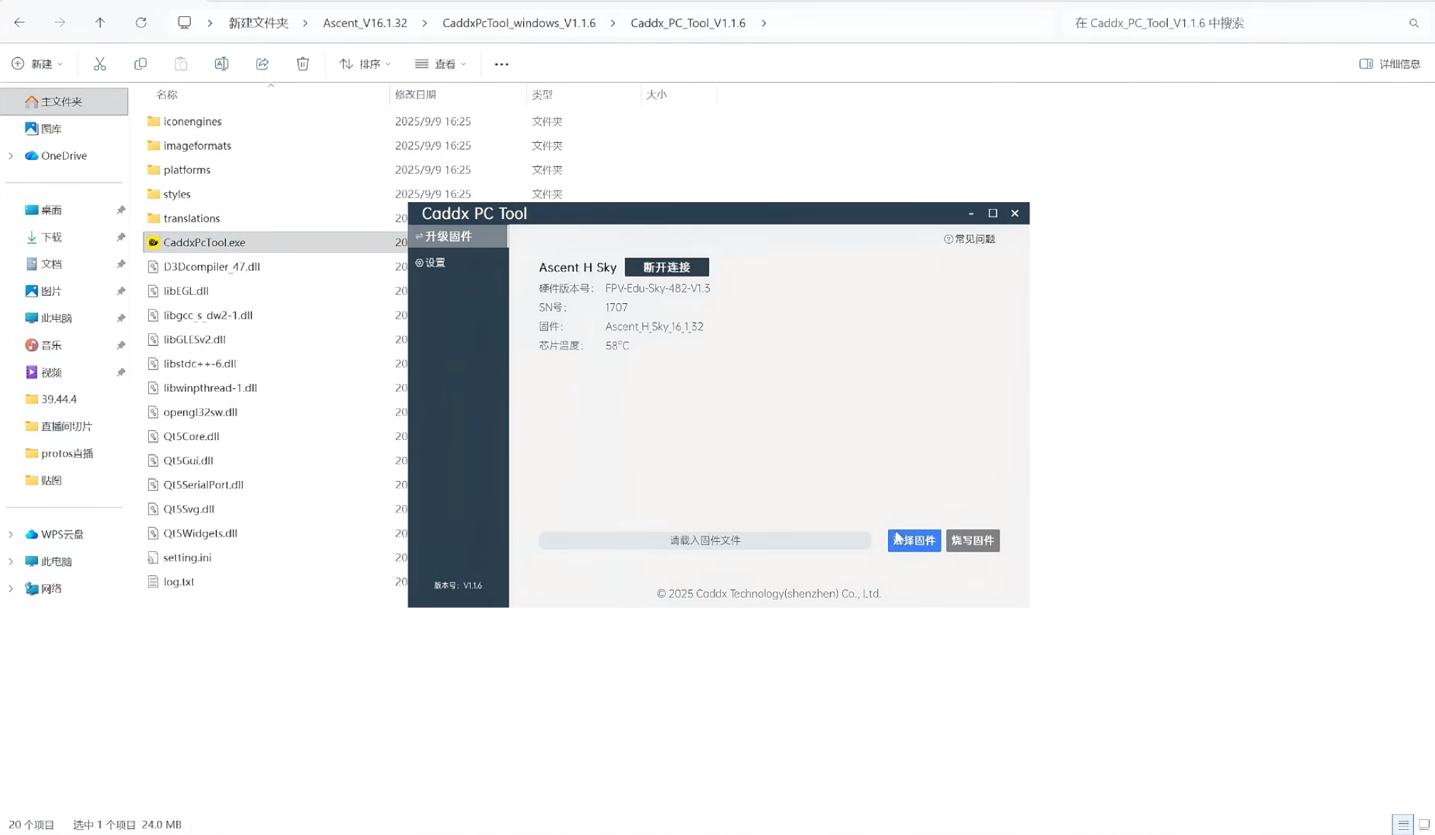
CADDX Protos Ascent H Sky Firmware Flash Guide
by SkyVolt FPV Engineering Team · About the authors
In this guide
- What you need
- Steps
- Important Notes
- Timeline reference
- This guide shows how to flash the firmware for the CADDX Protos Ascent H Sky VTX via Type‑C.
What you need
- CADDX Protos
- Data Type‑C cable (charge-only cable will not work)
- PC (Windows / Mac)
- Official firmware package (includes flashing tool +file)
Steps
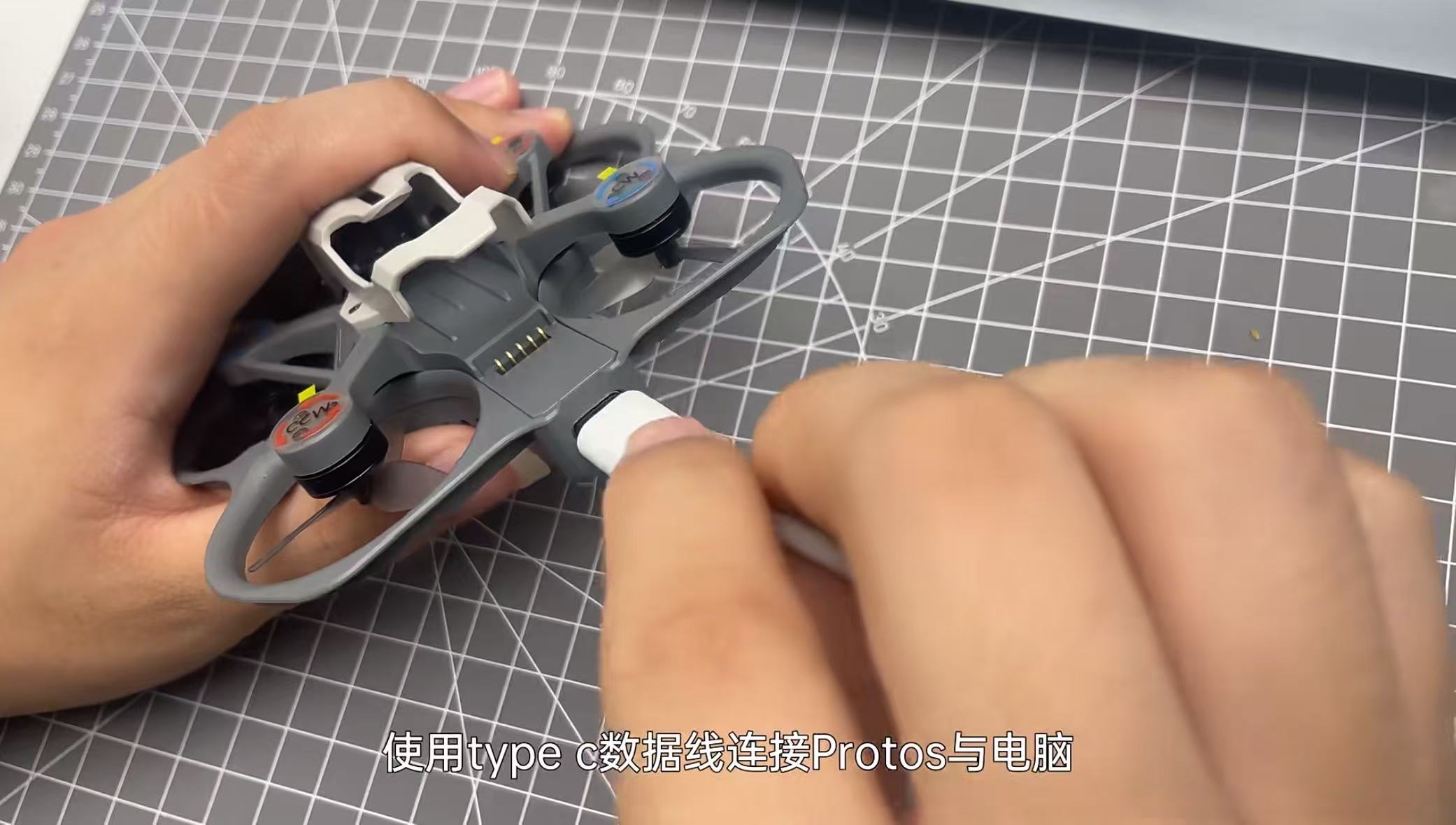
- 1. Connect Protos to your PC with Type‑C. Press the data transfer button on the tail of Protos.
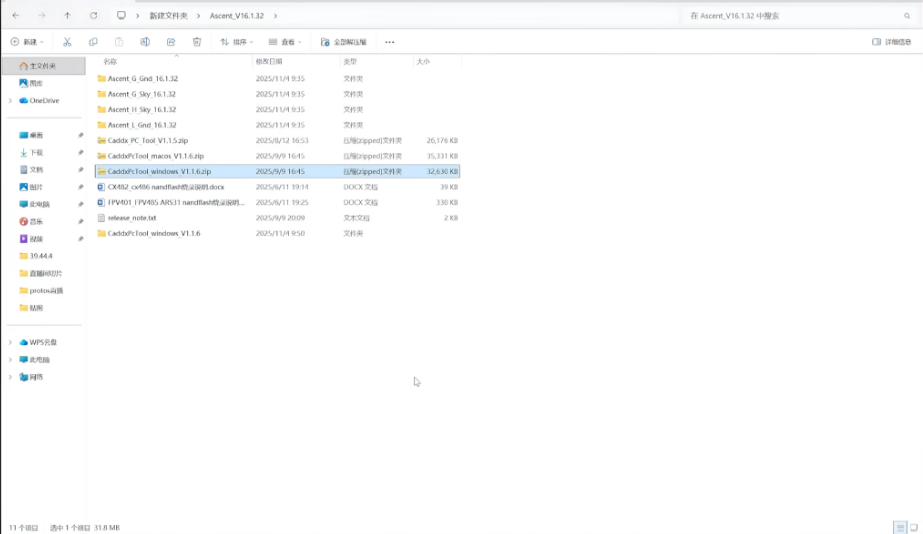
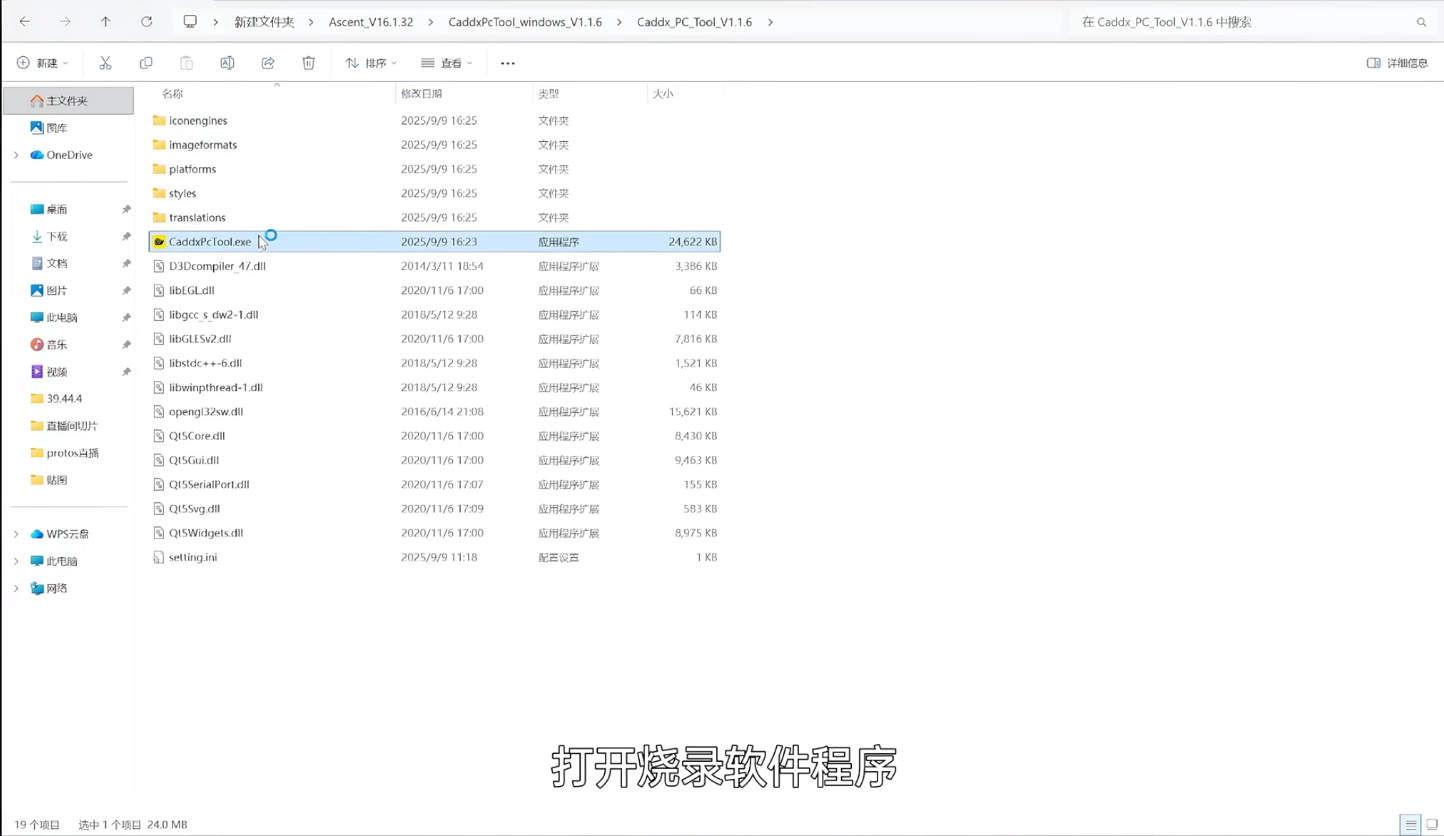
- 2. Unzip the firmware package and install the matching Caddx PC Tool.
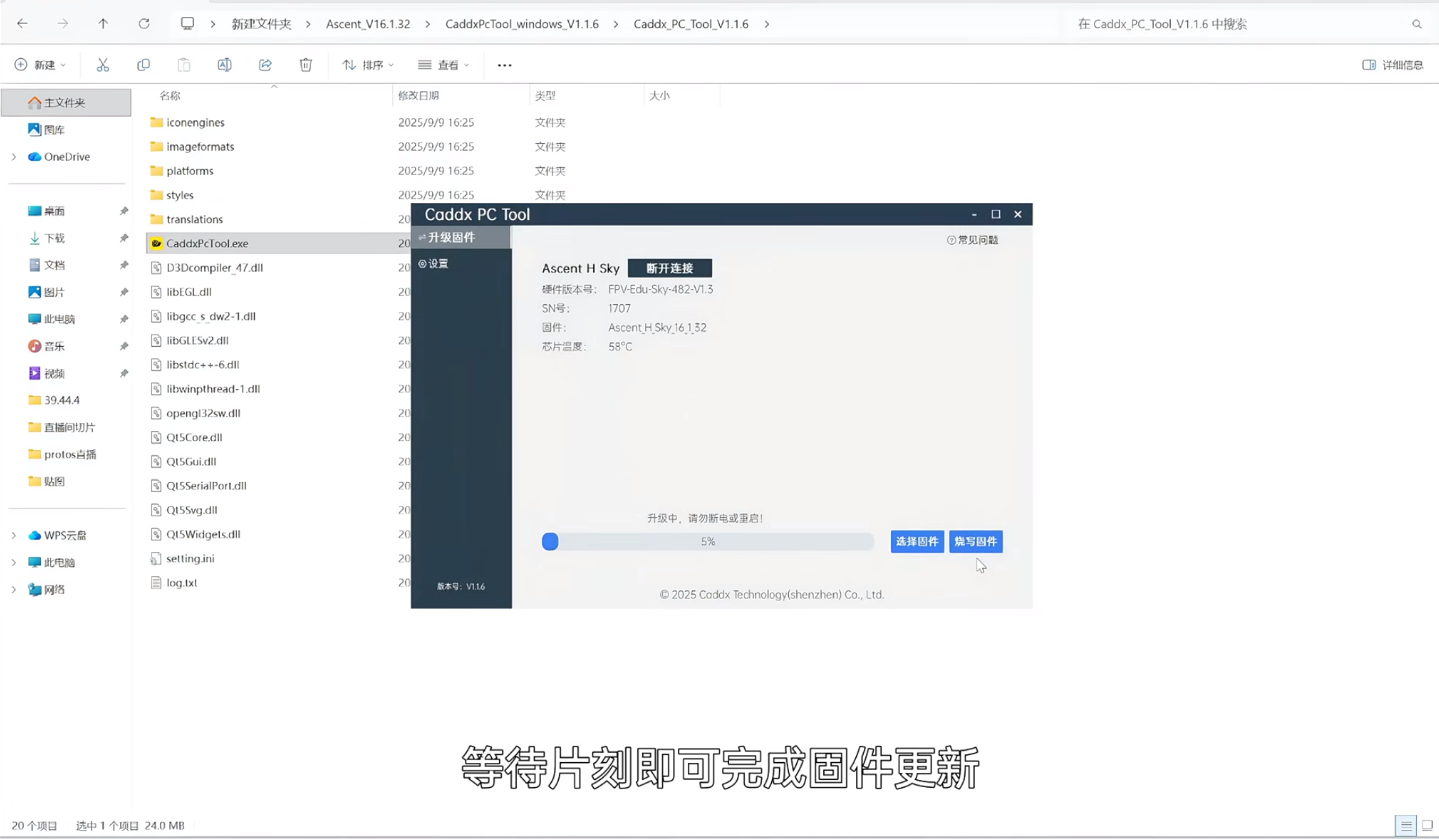
- 3. Launch the tool, click Connect Device.
- 4. Select Ascent H Sky, choose the firmware file.
- 5. Click Flash Firmware. Wait until the process finishes.
- 6. Verify the firmware version after reboot.
Important Notes
- Do NOT disconnect USB or power off during flashing, risk of bricking.
- Make sure you pick the correct Sky (VTX) firmware, do not mix with VRX/goggle firmware.
- Download firmware only from the official CADDXFPV website.
Timeline reference
- Cable connection & enter flash mode
- Install flashing software
- Select firmware and start flashing