CADDX Receiver Guide: Which VRX Matches Your HD System?
by SkyVolt FPV Engineering Team · About the authors
- Quick Answer
- Step 1: Identify Your VTX System
- Step 2: Pick Your Receiver (Avatar vs. Ascent)
- Step 3: Go for Range (Industrial Missions)
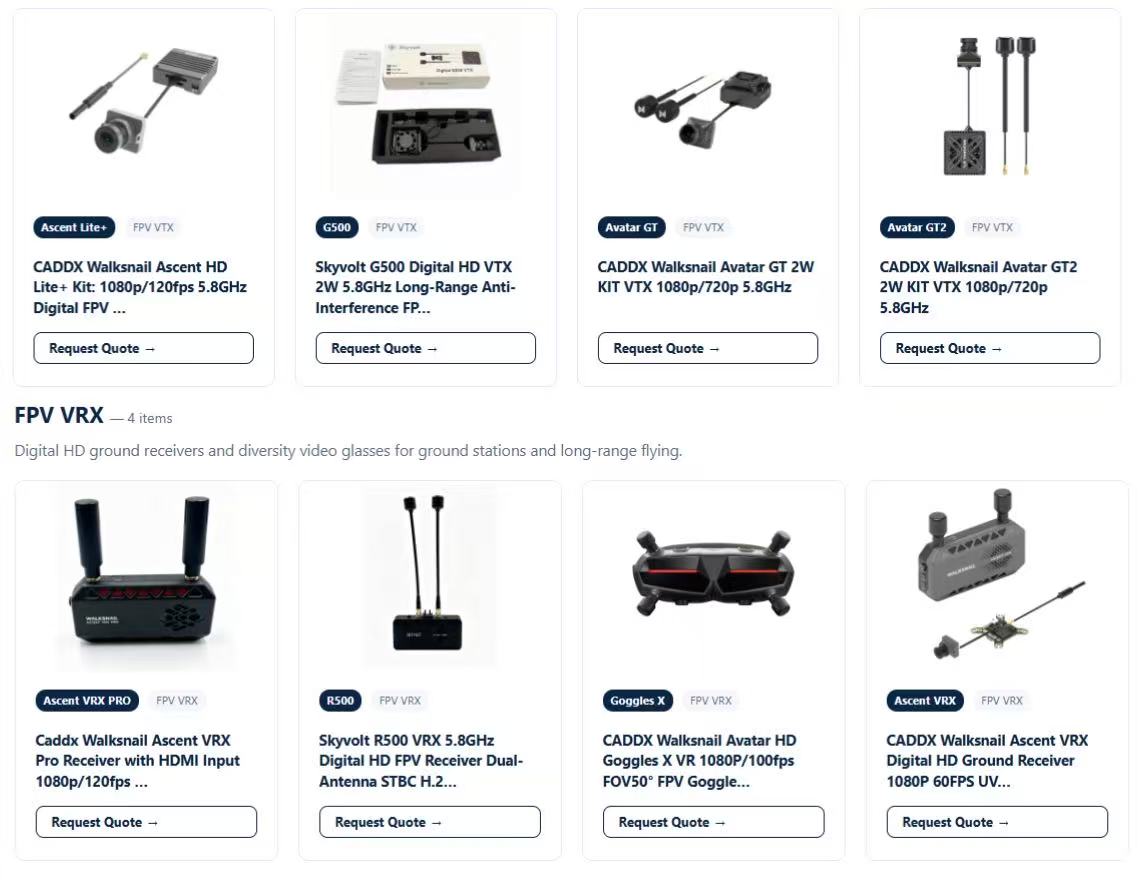
Choosing a CADDX receiver starts with one question: Avatar or Ascent? We break down the four most popular ground receivers to help you match your VTX and avoid costly compatibility mistakes.
- Quick Answer
- Step 1: Identify Your System
- Step 2: Pick Your Receiver
- Step 3: Go for Range (Industrial)
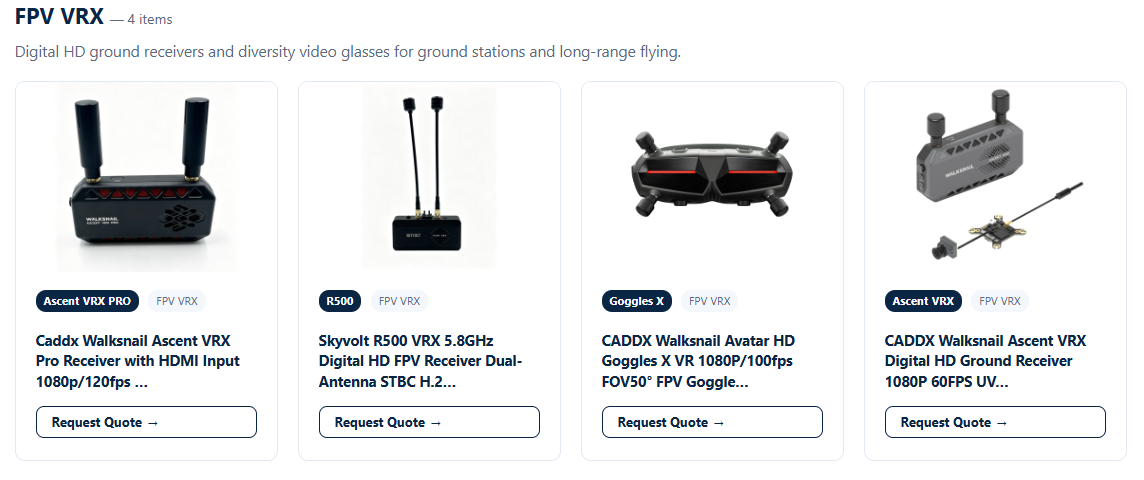
The receiver is half of your video link—pick the wrong one and the cleanest VTX won't help.
Quick Answer
Avatar HD users need an Avatar receiver (like Goggles X). Ascent HD users need an Ascent receiver (VRX or VRX Pro). These two systems are not cross-compatible. If you want the easiest plug-and-play experience, match the receiver to the VTX brand. If you need long-range, go for the Pro versions.
Step 1: Identify Your VTX System
CADDX makes incredible digital HD video transmitters, but they run on two completely separate ecosystems:
1.Avatar HD: The flagship, high-performance system (e.g., Avatar GT 2W, Avatar HD Pro).
2.Ascent HD: The new, cost-effective and industrial-focused system (e.g., Ascent Lite+).
The Golden Rule: You cannot mix them. An Ascent receiver will not see an Avatar VTX, and vice versa. Before buying any receiver, check the name on your VTX box.
Step 2: Pick Your Receiver (Avatar vs. Ascent)
Once you know your system, here is how to choose from our lineup:
Option A: For Ascent HD Pilots
- Ascent VRX: Your standard choice. Delivers crisp 1080p/60fps, weighs only 118g, and covers over 6km. Perfect if your goggles or monitor max out at 60Hz.
- Ascent VRX Pro: The upgraded version. It supports 1080p at 120fps (if your screen supports it), has UVC output (great for plugging into a laptop), and includes audio. It also pushes range past 8km.
Option B: For Avatar HD Pilots
- Goggles X: If you want the full Avatar experience, this is the ultimate ground station. It has a built-in Avatar receiver, a stunning 1080p/100fps display, and works flawlessly with the whole Avatar lineup.
(Note: If you already own third-party goggles and just need a receiver module, you must use a dedicated Avatar VRX, not an Ascent VRX).
Step 3: Go for Range (Industrial Missions)
If you are flying heavy-lift drones or doing BVLOS (Beyond Visual Line of Sight) inspections, you need maximum reliability.
- Pairing for Ascent: Choose the Ascent VRX Pro. The UVC output lets you feed video to a ground station laptop for live monitoring. Combine it with directional antennas for the best stability.
- Pairing for Avatar: Choose Goggles X with a high-power VTX like the Avatar GT2 (2W). This is the most robust setup for extreme range and high-interference environments.
Still not sure which receiver to buy?
Don't worry—tell us your VTX model and flight distance, and our engineering team will confirm the exact matching receiver before you order.